



 5 minutes to read
2026-01-09
John Menzies
Using MACD and RSI Indicators on the ExpertOption Platform


The MACD and RSI indicators are two of the most effective tools for understanding market momentum, spotting reversals, and timing entries. On the ExpertOption platform, traders frequently rely on them to build strategies that combine clarity with simplicity. This guide breaks down how to use the MACD indicator on the ExpertOption platform, the best MACD settings for ExpertOption, how the RSI works, and how to combine them into a practical trading approach.
What Is the MACD Indicator and How to Find It in the ExpertOption App?
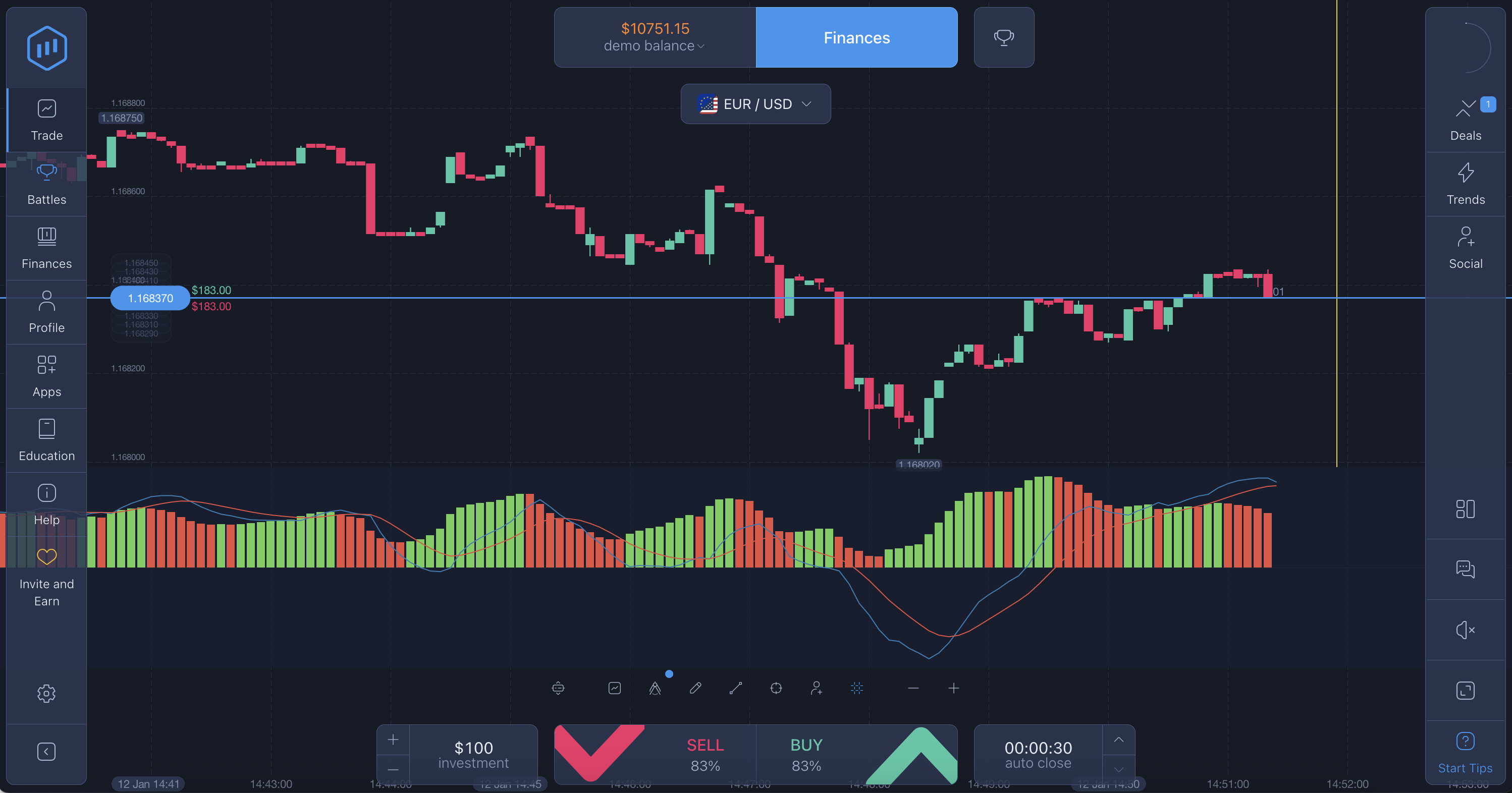
MACD (Moving Average Convergence Divergence) measures the strength and direction of price momentum. It uses two exponential moving averages and a signal line to show whether buyers or sellers are in control. On ExpertOption, MACD is located in the Indicators section of the chart screen. Once selected, it appears below the price chart with the usual two lines and histogram bars.
MACD is most effective when markets are trending, helping traders recognize momentum shifts earlier than simple moving averages.
How to Add MACD to Your Chart
Adding MACD takes only seconds:
- Select your trading asset.
- Open the indicator menu.
- Tap MACD to apply it directly to the chart.
- The MACD will appear beneath the price chart with histogram bars and crossing signal lines.
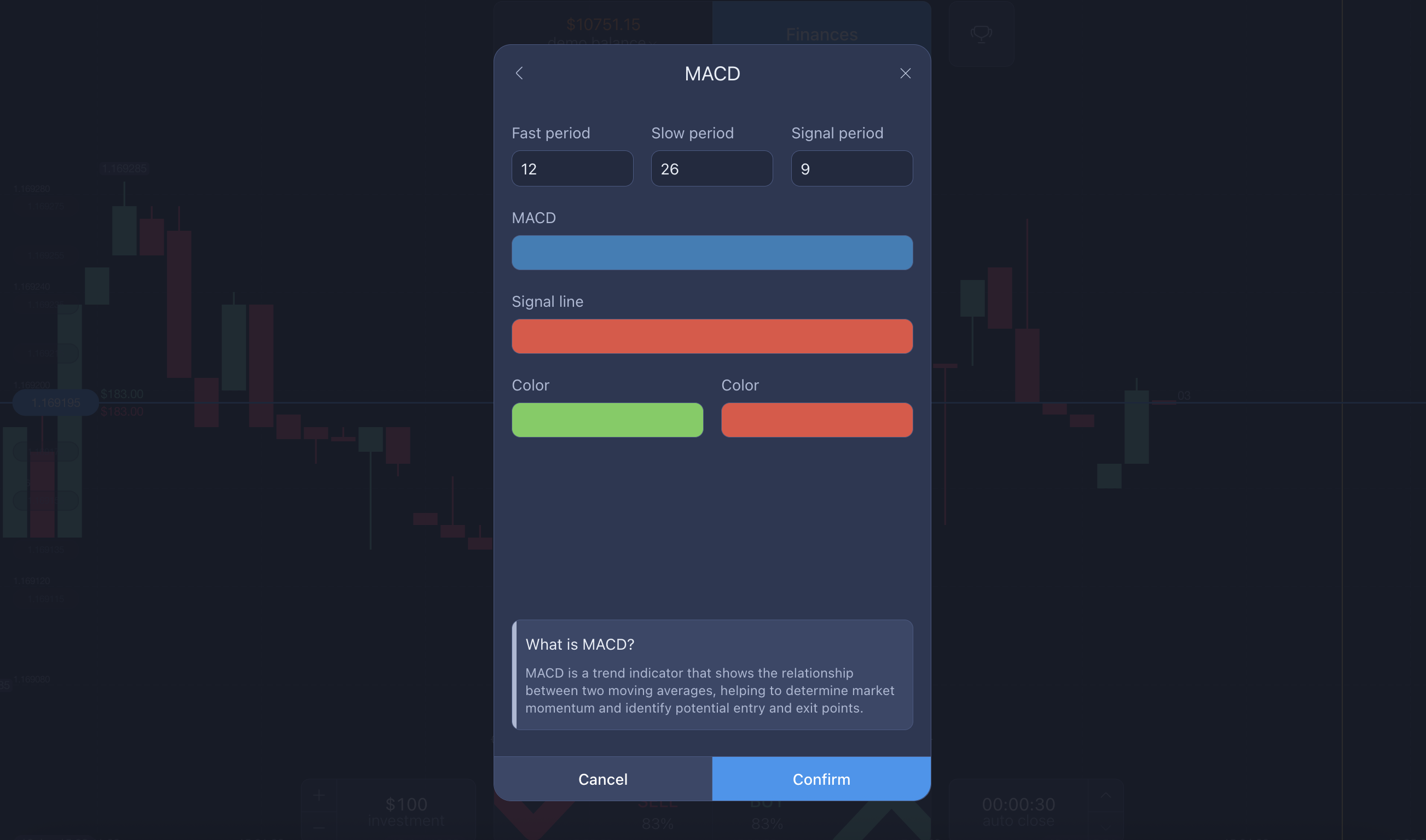
This setup allows you to immediately begin exploring different market phases and comparing momentum with real-time price action. The simplicity of the interface is one reason many traders appreciate using MACD in ExpertOption, especially when learning technical analysis for the first time.
Recommended MACD Settings for ExpertOption
Most traders rely on the standard MACD parameters:
- 12 (fast EMA)
- 26 (slow EMA)
- 9 (signal line)
These settings help identify both early trend changes and strong continuation signals. When the MACD line crosses above the signal line, momentum is shifting upward; when it crosses below, momentum weakens. Many who follow an ExpertOption MACD strategy also watch how the histogram changes, since shrinking bars often warn of a possible reversal.
MACD ExpertOption Review: Where MACD Performs Best
According to the broader community and user insights featured in various MACD ExpertOption review discussions, MACD is strongest during clear directional trends. It highlights acceleration and slowdown periods effectively, helping traders avoid choppy price zones. However, MACD is even more powerful when paired with RSI. This combination likely explains why many rely on using MACD and RSI together as their main decision-making tool.
How the RSI Works on ExpertOption
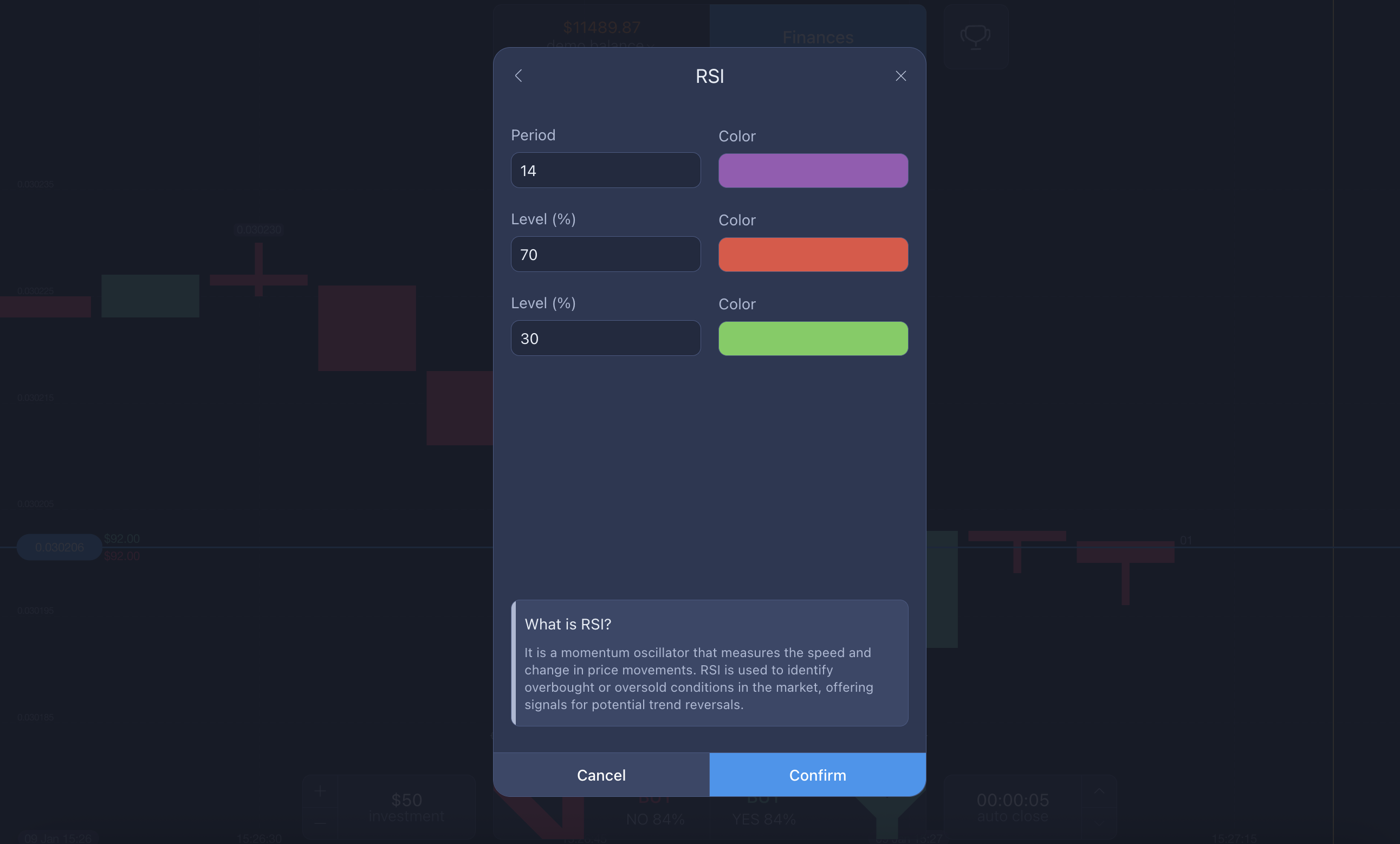
RSI (Relative Strength Index) is an oscillator that identifies whether an asset is overbought or oversold. It runs from 0 to 100, with levels above 70 typically indicating overbought conditions and levels below 30 signaling oversold conditions. This simple mechanic makes RSI intuitive even for beginners, offering instant insight into market strength.
RSI can be found in the Indicators menu under oscillators. Once activated, it appears below the chart as a single smooth line.
Basic RSI Buy and Sell Signals
Here is where a small list helps for clarity:
- CALL (buy) signal: RSI falls below 30, then turns upward, showing the asset may be recovering from oversold levels.
- PUT (sell) signal: RSI rises above 70, then turns downward, suggesting buying momentum may be fading.
These simple signals provide a clean, visual confirmation when pairing MACD with RSI.
How to Trade MACD in ExpertOption Using MACD and RSI Together
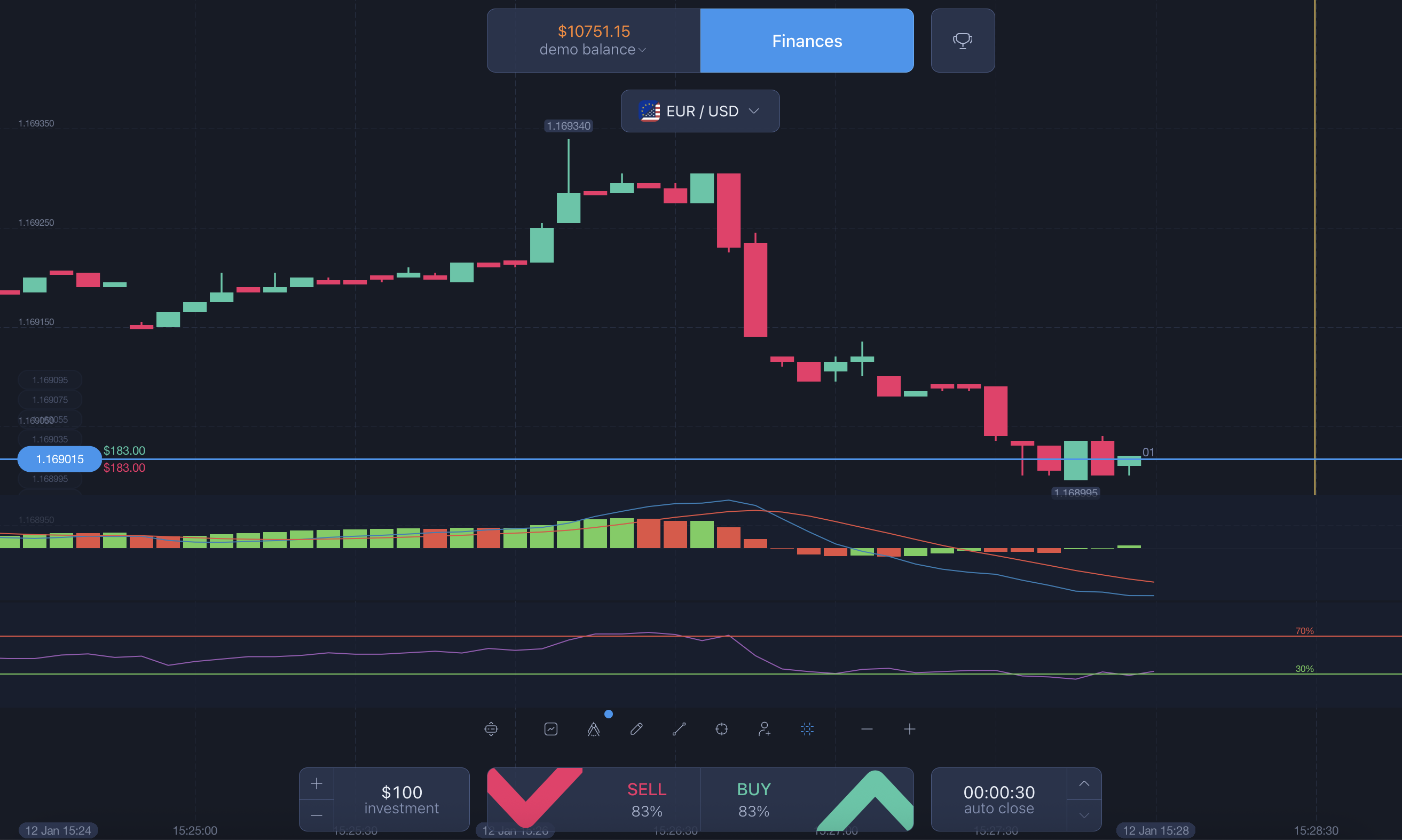
Combining the two indicators creates a structured approach to timing trades. MACD provides the trend direction and momentum strength, while RSI refines the exact entry moment by showing whether the current move is stretched or fresh.
Here’s how to use them together:
- Use MACD to determine whether the market is trending upward or downward
- Confirm the momentum by checking whether the histogram is expanding
- Wait for RSI to move into overbought or oversold territory
- Enter trades when both indicators point to the same reversal or continuation direction
This dual-indicator technique is one of the most popular approaches among traders looking for reliable confirmation — especially those seeking guidance from the best education resources ExpertOption offers.
Conclusion
Understanding how to use the MACD indicator on the ExpertOption platform and how it interacts with RSI can significantly improve your market timing and overall confidence. With the right MACD settings for ExpertOption and a practical understanding of RSI signals, traders can build clearer, more disciplined strategies. Supported by ExpertOption’s accessible tools and educational resources, these indicators form a strong foundation for both new and experienced traders.
Latest Posts
Trading Education
Trading News
Trading Strategies
Promotions & Tournaments
Success Stories & Tips
Platform Updates
Global events, stocks, crypto, forex
ExpertOption Reviews: An Honest Overview and Tips from Traders
5 minutes to readExpertOption Withdrawal Policy: How Withdrawals Work and Why Balance Management Matters
5 minutes to readExpertOption Reviews: An Honest Overview and Tips from Traders
5 minutes to readExpertOption Withdrawal Policy: How Withdrawals Work and Why Balance Management Matters
5 minutes to read